how i built my gemini capsule (not a tutorial)
why a capsule and not a normal blog?
first, i already have this personal blog/site, where i basically put
in a bit more effort, but for messages and more “intimate” info
or more elaborate thoughts, maybe? i’m going to use my
capsule. i want to experience the internet, if you know what i mean.
capsule construction process
well, with a homelab and the micro editor, a man can go to the moon! that’s what my parents used to say… or not? anyway, my focus was on having my own space on the web.
server problems
the first problem was that the server wasn’t working; it recognized
port 1965, but couldn’t connect, saying that something was already using
the port, which wasn’t true. i opened the port through the vivo portal
(modem) and used ufw to allow the use of the port, even without
really understanding how it works. i used agate to
activate the server, but it didn’t work. later, with new tests, i
managed to activate it using jetforce.
another problem was with the ip redirection, so i had to use duckdns to get a fixed ip.
finally, IT’S ALIVE (and i’m not talking about the company)
the same way dr. frankenstein felt seeing the monster alive, i felt seeing my capsule alive! but, after all, why is this important? well, because i’m dumb and having done all this by myself really made me happy.
homelab
my capsule runs entirely with these specs:
- os: debian gnu/linux 13 (trixie)
- kernel: linux 6.18.5-meson64
- shell: bash
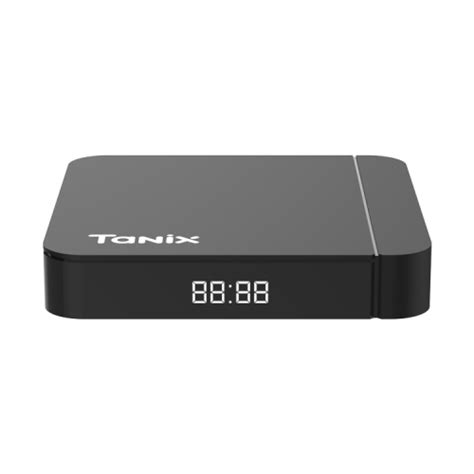
- host: tanix w2 - amlogic meson s4 s905w2 ap201 reference board
- cpu: s4 (4) (arm64)
- gpu: amlogic meson-g12a-mali (integrated)
the tanix w2 was designed to be an android tvbox, but i didn’t really like how it worked. so, i installed debian for arm and now it’s much better than before!
in this link, there is a list of all tvbox that support debian/ubuntu arm